Online Proctored Exam: The Complete Guide to Remote Proctoring
If you've ever sat down to take a test at your kitchen table with a webcam pointed at your face, you've taken an online proctored exam. If you're an administrator trying to figure out how to run finals week without a physical room full of invigilators, you're probably here for the same reason thousands of other institutions were a few years ago, because remote testing stopped being optional and started being the default.
What is in this guide
This guide covers what online proctoring actually means, how the technology works under the hood, how AI surfaces unusual activity for a person to review in context, and what higher education institutions specifically need to know before choosing a system. We built this guide from what we've learned running TunnelQuiz's own proctoring workflows across student and institutional exams, so alongside the general concepts, you'll see how a platform like TunnelQuiz approaches each piece in practice. Each section below links to a deeper, dedicated guide if you want to go further into any one topic.
What Is an Online Proctored Exam? (Meaning & Definition)
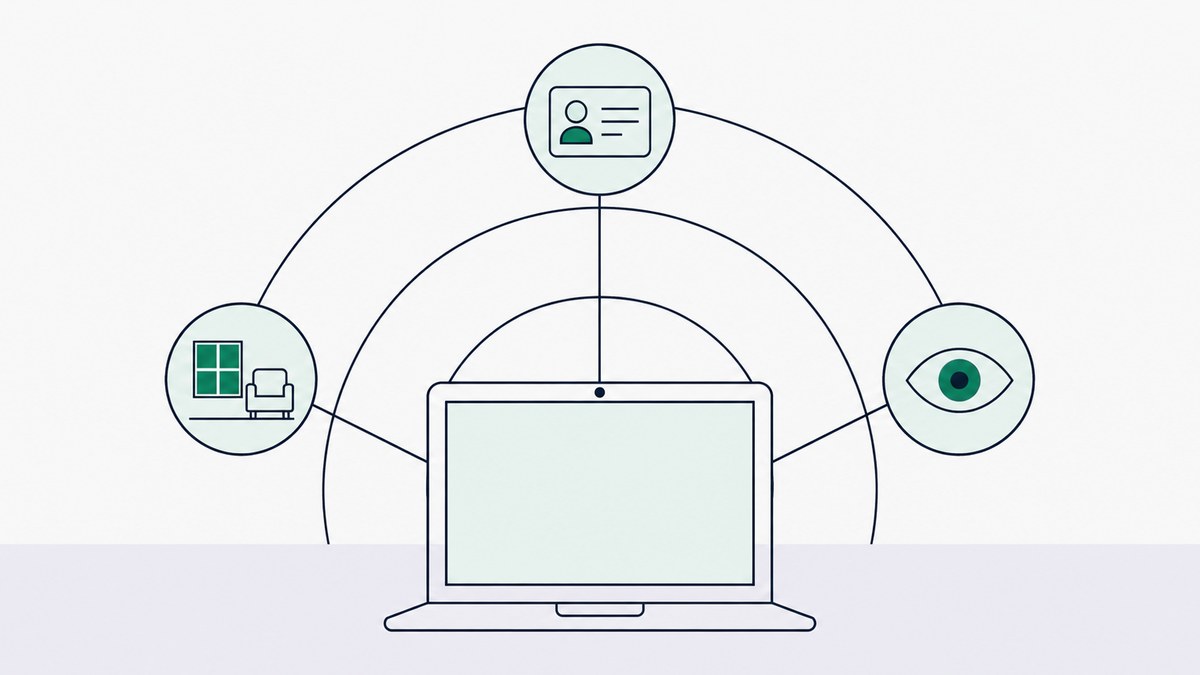
An online proctored exam is a test taken outside a traditional classroom, usually at home, where a person's identity, environment, and behavior are monitored through a webcam, microphone, and screen-tracking software to confirm the test is being taken honestly and by the right person.
The meaning of online proctored exams has expanded over the last few years. It used to just mean "a human watches you through a webcam." Now it typically includes a layer of AI that flags suspicious behavior automatically, so a much smaller team of human reviewers can oversee thousands of test-takers at once instead of one proctor per student.
At its core, three things are being verified:
- Identity - is the person taking the test who they claim to be?
- Environment - is the testing space free of notes, second devices, or other people?
- Behavior - does anything during the exam suggest outside help, unauthorized resources, or impersonation?
How Does Online Exam Proctoring Work?
Mechanically, most online proctoring platforms follow a similar sequence, whether the exam is for a university midterm or a professional certification.
That last step matters more than most people realize. A flag isn't a verdict - it's a prompt for a human to look closer. This is where a lot of the "proctoring is unfair" criticism actually comes from: institutions that skip the human review step and treat every flag as guilt. It's also why TunnelQuiz sends every flag to a person for review by default: nothing is failed automatically unless you turn on auto-terminate (from the Essential plan), which ends an attempt after repeated violations.
- Pre-check: the student verifies their identity (ID scan, selfie match) and does a system check (camera, mic, internet).
- Room scan: a 360-degree camera pan or photo capture confirms the space is clear of prohibited materials.
- Lockdown: A secure browser restricts access to other tabs, applications, or external devices during the test.
- Live monitoring: Depending on the proctoring type, a human, an AI system, or both watch the session in real time or record it for later review.
- Flagging and review: Any unusual activity gets tagged with a timestamp so a human reviewer can confirm whether it was actually a violation.
How Does AI Proctoring Detect Cheating?
AI proctoring doesn't "know" someone is cheating the way a human proctor intuitively might. It's pattern-matching against a baseline of normal test-taking behavior, and flagging deviations for a human to judge.
Common detection signals include:
Here's the part that's genuinely worth being honest about: AI flags produce false positives. A student adjusting their glasses, glancing at a clock on the wall, or living in a small apartment with a roommate walking by can trigger the same flag as someone actually cheating. That's why serious platforms, TunnelQuiz included, treat AI detection as a triage layer, not a final judgment.
This connects directly to two more specific behaviors institutions ask about - how systems catch multiple screens and how tab switching gets detected, both of which are subsets of this same AI monitoring layer.
- Eye and head movement tracking - repeated glances away from the screen at regular intervals
- Audio anomaly detection - a second voice, whispering, or unusual background noise
- Face detection dropout - the student's face disappearing from frame or a second face entering it
- Object recognition - phones, notes, or books identified in the camera frame
- Keystroke and mouse pattern analysis - behavior inconsistent with the enrolled user's typical patterns
- Browser and tab-switch monitoring - leaving the exam window to search for answers
Online Proctoring vs Live Proctoring
Not all proctoring is AI-driven. "Live proctoring" specifically means a real human is watching, either one-on-one or across a small group of live video feeds, in real time.
Neither approach is universally "better" - it depends on exam stakes, cohort size, and budget. Many institutions actually run a hybrid: AI monitoring as the first layer, with live proctors reserved for high-stakes exams or as an escalation point when AI flags something.
Full comparison, including cost breakdowns and accessibility considerations: Online Proctoring vs Live Proctoring
How to Prevent Cheating in Online Exams
Proctoring software is one layer of exam integrity, not the whole strategy. Institutions that rely on software alone tend to see more disputes and more student anxiety than those that pair technology with smart exam design.
The instructors who get the fewest complaints tend to be the ones who treat proctoring as a visible, explained part of the exam process, not something sprung on students at the last minute. TunnelQuiz's own onboarding flow is built around this - students see exactly what will be monitored, and pass a system check, before they ever start the exam clock.
- Design exams that are harder to cheat on, not just harder to cheat during: randomized question banks, time-limited sections, and application-based questions instead of pure recall
- Communicate expectations clearly before exam day, including what the room scan will check for and what happens if a flag occurs
- Use a layered approach - identity verification, browser lockdown, and behavioral monitoring together rather than relying on just one
- Build in a human appeals process so a flagged student isn't automatically penalized without review
- Pilot test the system with a low-stakes quiz before the real exam, so students aren't troubleshooting tech during finals
How Do Online Exams Detect Multiple Screens?
Multiple-monitor detection is one of the more technically interesting pieces of this stack. Systems typically check for a second screen through a combination of:
This is a common friction point for students who genuinely use dual monitors for non-exam reasons, which is exactly why most platforms require single-display mode before the exam even starts, rather than only flagging it after the fact.
- Operating system-level API calls that report connected displays, even if the second screen isn't actively showing the exam
- Screen resolution and display configuration checks run at the start of the session
- HDMI/display port polling during the exam to catch a screen connected mid-test
- Browser extension and lockdown software that blocks or flags extended-display configurations outright
How Does Tab Switching Detection Work?
Tab-switching detection runs on the browser side, watching for a loss of window focus, meaning the exam tab is no longer the active window.
A single tab switch rarely results in a serious penalty on its own - reviewers are typically looking for patterns, like repeated switches at moments that correlate with difficult questions.
- Focus/blur event listeners in the browser fire the moment a student clicks away from the exam tab
- Full-screen enforcement exits the moment a student leaves the locked exam window, which itself triggers a flag
- Timestamped logs record exactly when and how many times focus was lost, giving reviewers a pattern to assess rather than a single data point
- Secure/lockdown browsers go further, disabling the ability to open new tabs or applications entirely rather than just detecting it after the fact
Are Online Proctored Exams Secure?
This is the question every skeptical student and every cautious administrator eventually asks, and the honest answer is: it depends on the vendor, the data handling policy, and how the institution implements it.
Security concerns generally fall into three buckets:
None of these are solved problems industry-wide. They're solvable at the vendor level, which is exactly why the vendor selection question matters more than the general "is proctoring secure" question. At TunnelQuiz, this is the question we get asked most often by IT and compliance teams before anything else, and it's worth asking whoever you're evaluating, not just us.
- Data privacy - where is the recorded video, audio, and ID data stored, for how long, and who can access it? Reputable vendors align with frameworks like FERPA (for U.S. education records) and GDPR (for data involving EU residents)
- Algorithmic fairness - do detection models perform consistently across different skin tones, lighting conditions, accents, and disabilities, or do they produce disproportionate false positives for some groups?
- Technical exploitability - can the lockdown browser actually be bypassed with a second device, virtual machine, or screen-sharing trick?
Online Proctoring for Higher Education
Universities and colleges face a different set of constraints than a single instructor running a class quiz, and it's worth addressing that separately since "online proctoring for higher education" is its own distinct decision-making process.
At the institutional level, the real questions aren't just "does this detect cheating" - they're operational and legal:
A useful practice here: pilot the system with one department or one exam cycle before a campus-wide rollout. It surfaces integration issues and accessibility gaps while the stakes are still low. This is the rollout pattern we recommend to institutions evaluating TunnelQuiz: a single-department pilot before scaling to a full campus.
- LMS integration - does the proctoring tool plug directly into Canvas, Blackboard, Moodle, or whatever system the registrar already runs exams through, or does it require a separate workflow?
- Scale - can the platform handle finals week, when tens of thousands of students across a campus might be testing within the same 48-hour window?
- Accessibility compliance - students with documented accommodations (extended time, assistive technology, screen readers) need a proctoring workflow that doesn't penalize them for using accommodations the institution is legally required to provide
- Faculty governance - who decides when a flagged exam gets escalated, and does that sit with IT, the registrar, or individual faculty?
- Student trust - institutions that roll out proctoring without a clear communication plan tend to see backlash, petitions, and disputes; those that explain the "why" up front generally don't
Online Remote Proctoring: How It Differs Across Use Cases
"Online remote proctoring" isn't one product used the same way everywhere - the requirements shift a lot depending on who's being tested and why.
Recognizing which category you're in changes almost every downstream decision, vendor choice, monitoring intensity, and how strict the appeals process needs to be.
- K-12 - lower stakes typically, more focus on simple identity checks and basic lockdown rather than heavy AI behavioral analysis; parental consent and screen-time concerns are bigger factors than academic integrity risk
- Higher education - the mix described above: LMS integration, accessibility, scale, and faculty governance
- Certification and licensing exams (professional boards, industry certifications) - usually the highest-stakes category, often requiring full identity verification, live human proctors, and legally defensible audit trails since a license or credential is on the line
- Corporate assessments (hiring tests, internal promotions) - lighter-touch monitoring is common, balancing candidate experience against integrity, since an overly invasive process can scare off good candidates before they even finish applying
Online Exam Proctoring Best Practices
Pulling everything above together, a few practices consistently separate institutions with smooth rollouts from ones dealing with constant disputes:
- Over-communicate before exam day - students should know exactly what will be recorded, what triggers a flag, and what the appeals process looks like
- Never let AI be the final decision-maker - every flag should route to a human before any penalty is applied
- Run a tech check exam before the real one, so connectivity and hardware problems don't collide with exam anxiety
- Document your vendor's data retention policy and make sure it's actually compliant with your regulatory environment, not just advertised as compliant
- Review false-positive rates by demographic group, if your vendor can provide that data, this is becoming a standard due-diligence step, not an optional one
- Build a genuine appeals process with a real human timeline, not just a support ticket that disappears into a queue
Questions, answered
An online proctored exam is a remotely taken test monitored through webcam, microphone, and screen activity to verify the test-taker's identity and confirm no unauthorized help is being used. It's functionally the remote equivalent of an invigilator walking around a physical exam hall.
Not exactly - online remote proctoring is the broader category, while AI proctoring is one method within it. Remote proctoring can be done by a live human, an AI system, or a hybrid of both, depending on the exam's stakes and the institution's budget.
Security depends heavily on the specific vendor's data handling, encryption, and retention practices rather than being a fixed property of "remote proctoring" as a category. Institutions should evaluate FERPA/GDPR alignment and request documentation before assuming a platform is secure.
Higher education institutions typically prioritize LMS integration, scale during peak exam periods, accessibility compliance for students with accommodations, and a clear escalation process for flagged sessions. Cost and student experience are close behind.
Yes, most systems use room scans, audio detection for a second voice, and computer vision to detect an additional face entering the camera frame at any point during the exam. Repeated or sustained detection typically triggers a flag for human review rather than an automatic penalty.
No, a single tab switch is usually just logged with a timestamp, and most institutions only escalate when there's a repeated pattern, especially one that correlates with difficult questions. The decision to penalize is a human one, not an automatic system action.
Online (AI) proctoring uses automated monitoring and flags behavior for later or real-time review, while live proctoring means a human is watching the session as it happens. Live proctoring tends to cost more but offers immediate intervention, while AI proctoring scales far more cheaply across large cohorts.
Yes, higher education proctoring typically requires deeper LMS integration, stricter accessibility compliance, and faculty governance structures that K-12 and corporate assessments don't need to the same degree. The underlying technology is often similar, but the operational requirements differ significantly.
If you're evaluating a proctoring partner for your institution or program, TunnelQuiz is built around exactly the principles covered here - human review on every flag by default, monitoring rules students can see before they start (with no room scan and no lockdown software to install), and a rollout process designed for a pilot-first approach rather than a disruptive campus-wide switch.
- Free plan, 50 credits a month
- No install, runs in the browser
- Screen capture on every plan
- MCQs scored the moment they submit