Online exam proctoring best practices
Six practices that separate institutions with smooth proctoring rollouts from those dealing with constant disputes.
In short
Over-communicate, never let AI decide, run a tech check first, and build an appeals process that a real person actually answers.
Getting online exam proctoring right isn't primarily a technology problem - it's an implementation problem. The same proctoring software can produce a smooth, trusted experience at one institution and a wave of complaints and appeals at another, and the difference almost always comes down to how it was rolled out, communicated, and governed, not which vendor was chosen.
This article covers best practices from both sides: what institutions should do to build a fair, defensible program, and what students can do to get through a proctored exam without unnecessary stress.
For Institutions: Build the Program Before You Pick the Software
A lot of proctoring rollouts start backward, choosing a vendor first and figuring out policy later. The stronger sequence is the reverse.
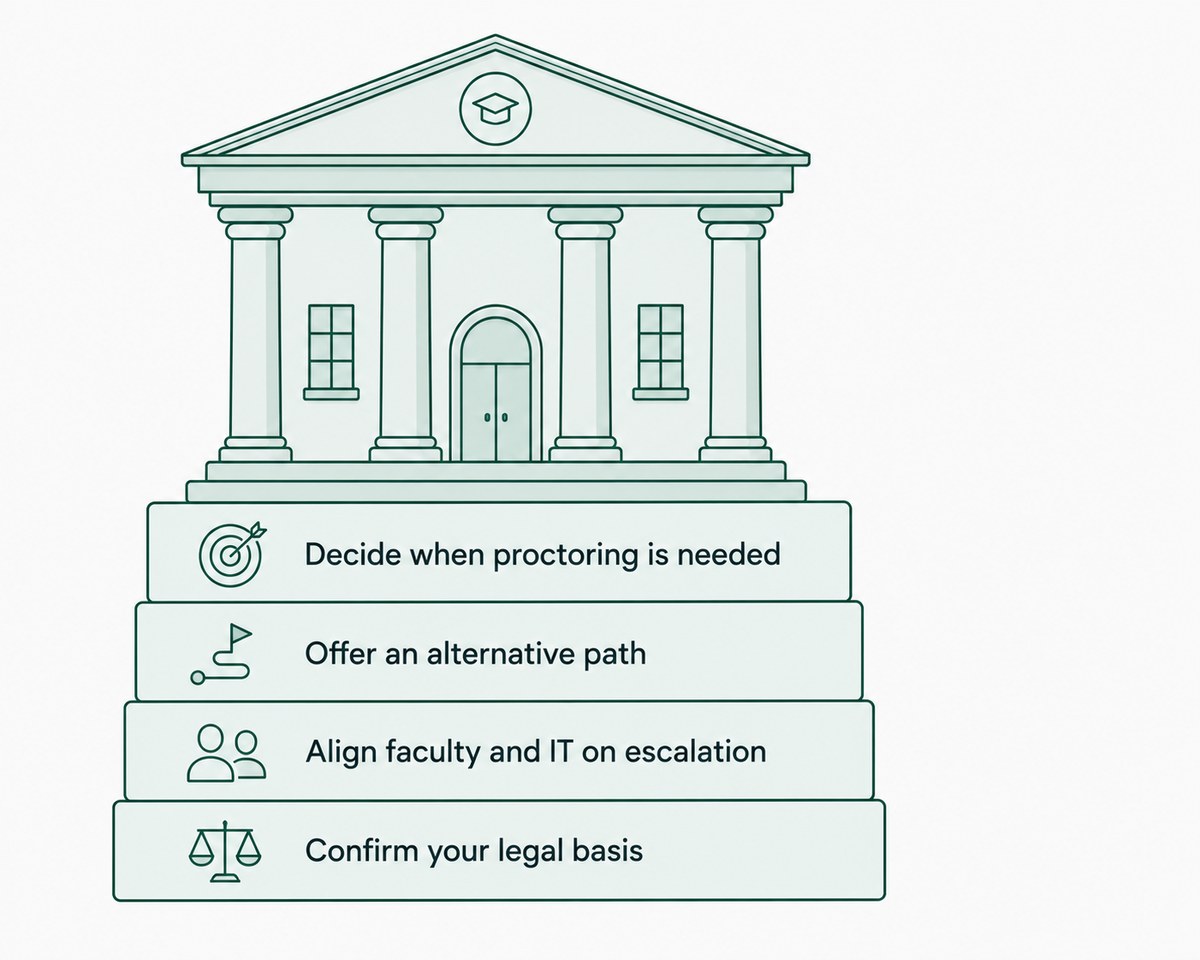
- Decide when proctoring is actually necessary - Not every assessment needs it. A low-stakes weekly quiz doesn't carry the same integrity risk as a final exam, and applying proctoring uniformly regardless of stakes tends to generate resentment without a proportional integrity benefit
- Offer an alternative path where possible - Some institutions provide an alternative assignment option for students who have legitimate objections to proctoring, rather than making it an unconditional requirement
- Get faculty and IT aligned on escalation - Decide in advance who reviews a flag, who has authority to overturn a false positive, and how quickly that review needs to happen
- Confirm your legal basis for identity verification - In the U.S., the Higher Education Opportunity Act requires institutions receiving Title IV funding to verify the identity of distance-education students through one of several accepted methods - proctoring is one option among others, not the only compliant path
For Institutions: Communicate Before Exam Day, Not During It
Almost every serious proctoring complaint traces back to a communication gap, not a technical one.
- Explain exactly what will be monitored - webcam, microphone, screen activity, room scan - before the exam, not as a surprise once it starts
- Offer a practice exam using the same proctoring setup, so students troubleshoot hardware and software issues before the stakes are real
- Publish a clear appeals process with a defined timeline, so a flagged student knows what happens next instead of being left to guess
- Explain what a flag actually means - that it triggers human review, not an automatic penalty, since a lot of anxiety comes from students assuming the opposite
Institutions that gather feedback from students after each exam cycle and actually act on it tend to see fewer complaints over time, since most friction points are fixable once they're identified.
For Institutions: Make Human Review Non-Negotiable
This is the single practice that separates a defensible proctoring program from an indefensible one: every flag should be reviewed by a person before any consequence is applied.
- AI flags are a triage signal, not a verdict - treating them as automatic findings produces false accusations and erodes trust
- Reviewers should be trained on common false-positive patterns, poor lighting, pets, involuntary movement, disability-related behavior, so they don't treat every flag identically
- Decisions and reasoning should be documented, both for fairness and so the institution can defend a decision if it's formally challenged
TunnelQuiz sends flagged sessions to human review by default rather than making review an optional setting institutions have to remember to enable. Automatic termination is the opt-in, not the default.
For Institutions: Account for Accessibility From the Start
Accessibility can't be an afterthought bolted onto a proctoring program after launch - it needs to be part of the initial design.
- Confirm the proctoring platform doesn't penalize students for using approved assistive technology or accommodations
- Build a clear, advance-notice process for accommodation requests, since real-time exceptions during a live exam usually aren't practical
- Review flag data periodically for signs that certain behaviors (tics, unusual movement patterns) are being disproportionately flagged, and adjust review guidance accordingly
A program that works well for most students but consistently fails a subset of them isn't actually fair, even if the failure rate looks small in aggregate.
For Students: What Actually Helps on Exam Day
If you're the one taking a proctored exam, a few practical habits meaningfully reduce the chance of an unnecessary flag or a stressful technical issue.
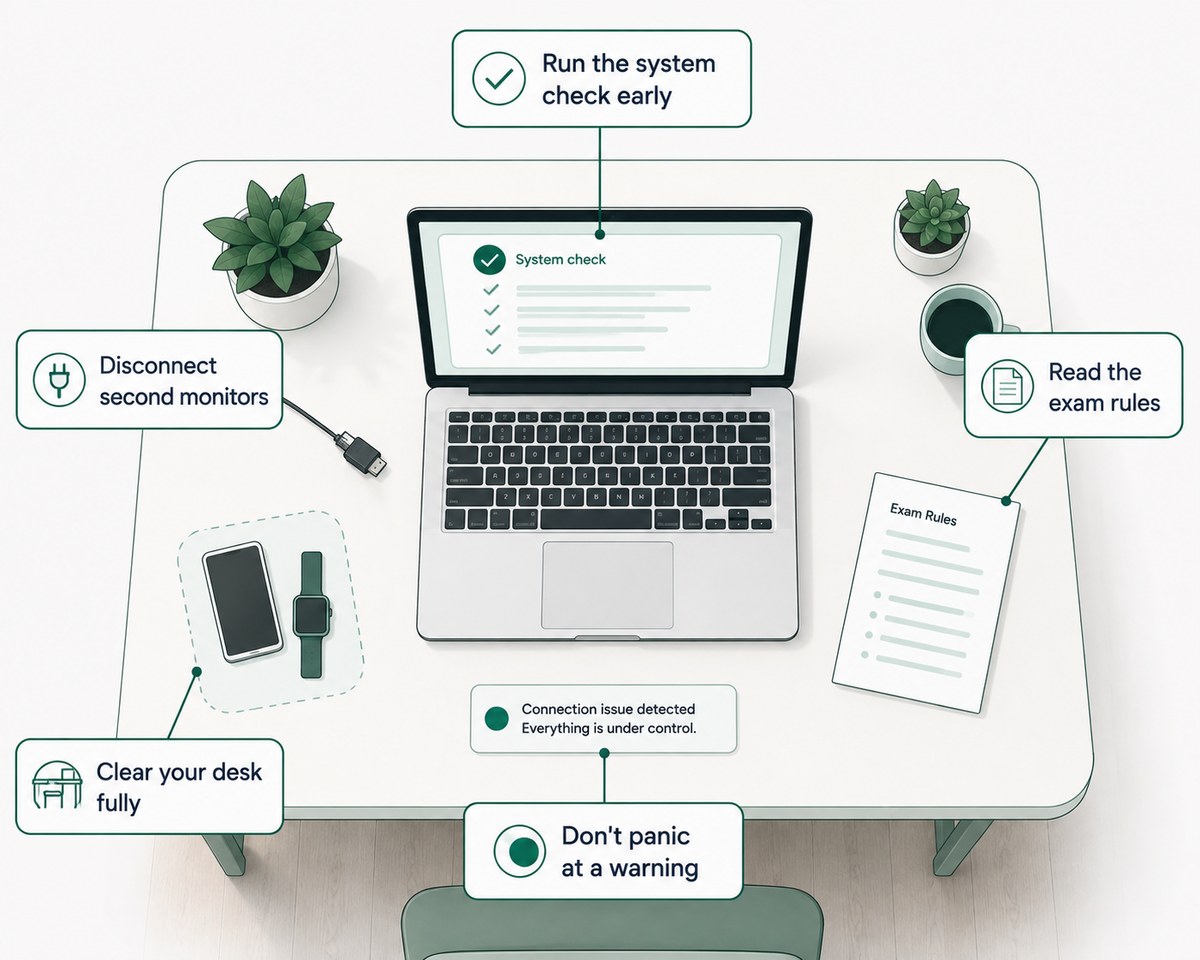
- Do the system check well before the exam, not five minutes beforehand - this gives you time to fix a webcam, microphone, or connectivity issue without eating into exam time
- Disconnect any second monitor, even if you don't think you're using it - most systems detect a connected display whether or not it's active
- Clear your desk fully, not just of obvious materials - phones, smartwatches, and notes all count, and a room scan tends to catch more than people expect
- Read the specific exam rules, since they vary by institution and platform - what's allowed on one platform's proctored exam isn't automatically allowed on another's
- Don't panic if you get a warning mid-exam. A single flag rarely means an automatic penalty; it typically just means a human will review that specific moment afterward
Common Mistakes to Avoid
A few patterns show up repeatedly in proctoring programs that generate the most friction:
- Treating every flag as guilt - without mandatory human review, false positives turn into real disputes
- Rolling out campus-wide without a pilot - a single-department pilot surfaces integration and accessibility problems while the stakes are still low
- Under-communicating what's being monitored - vague policy language creates more anxiety than a specific, detailed explanation would
- Ignoring student feedback after each exam cycle - friction points that go unaddressed tend to repeat and compound
- Applying the same proctoring intensity to every assessment, regardless of actual stakes
The Short Version
Getting online exam proctoring right comes down to implementation, not just technology - clear policy, upfront communication, mandatory human review, and accessibility built in from the start are what separate a trusted program from a contentious one. Students, for their part, can avoid most unnecessary flags with a handful of simple habits before exam day. For the rest of the proctoring cluster, from how detection works to security details, our complete guide to online exam proctoring covers it all.
Frequently asked questions
What is the most important best practice for institutions using online proctoring?
Mandatory human review of every flagged session is generally considered the single most important practice, since it's what prevents false positives from turning into unfair penalties. Without it, even a well-designed detection system can produce outcomes that feel arbitrary or unjust to students.
Should every online exam be proctored?
Not necessarily - best practice is to reserve proctoring for higher-stakes assessments where identity and integrity verification genuinely matter, rather than applying it uniformly to every quiz and assignment. Lower-stakes assessments often don't carry a risk that justifies the added friction and cost.
How can students reduce their chances of being flagged during a proctored exam?
Completing the system check well in advance, disconnecting secondary monitors, and thoroughly clearing the testing area are the most effective preventive steps students can take. Reading the specific exam's rules also matters, since requirements vary meaningfully between institutions and platforms.
Are institutions legally required to offer proctoring alternatives?
Requirements vary by institution and region, but many colleges and universities voluntarily offer an alternative assessment option for students with documented objections or accommodation needs. It's worth checking your specific institution's policy rather than assuming one way or the other.
What should an institution do if a proctoring flag turns out to be a false positive?
The flagged session should be reviewed by a trained human, the false positive should be documented, and no penalty should be applied once it's confirmed as non-genuine. Institutions that track false-positive patterns over time can use that data to improve reviewer training and reduce recurring issues.