How does online exam proctoring work?
Pre-check, room scan, lockdown, live monitoring and review. A walkthrough of the sequence almost every online proctoring platform follows.
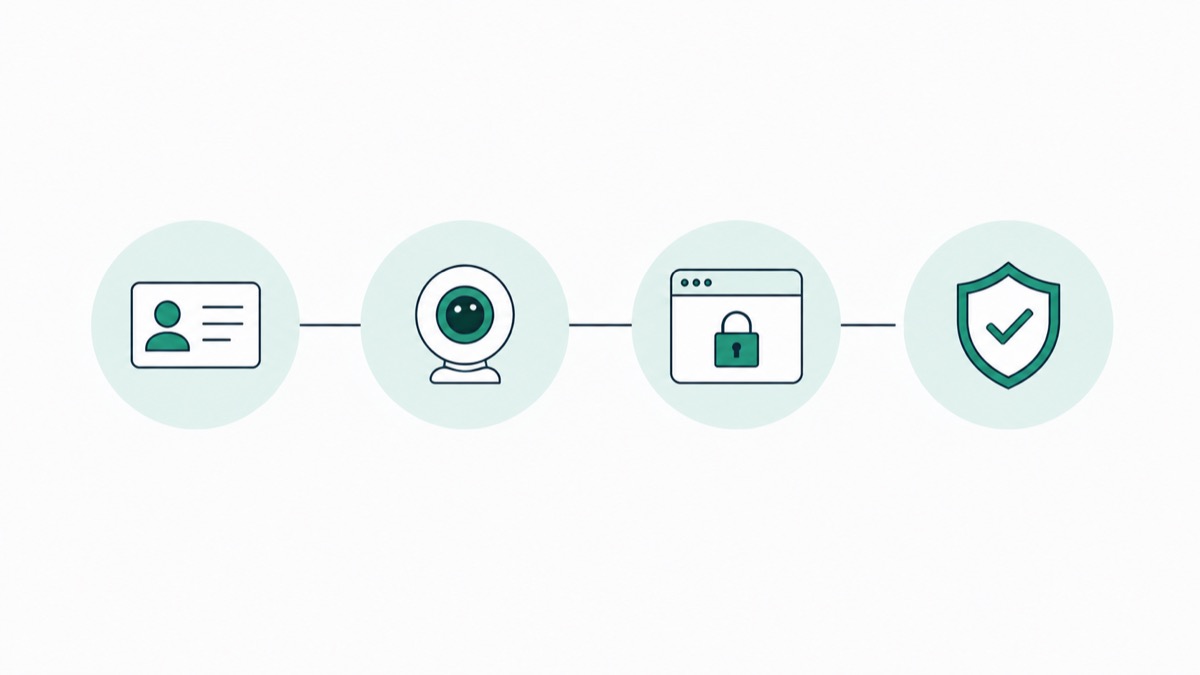
In short
The five stages nearly every platform runs, from identity pre-check through to the human review step that most people skip past.
Online exam proctoring works by combining a system check, identity verification, and continuous monitoring of your webcam, screen, and audio during the exam, then compiling anything unusual into a report a human reviews afterward. The whole thing runs as one connected pipeline, not a single tool watching you, but several checks happening in sequence, each feeding into the next.
If you've only heard proctoring described in the abstract, "it watches you during the test", this article walks through what actually happens at each stage, from the moment you open the exam link to what happens if something gets flagged. For the broader concept and why institutions use it at all, see our complete guide to online exam proctoring.
The Exam Lifecycle, Not Just "The Monitoring"
A common misunderstanding is that proctoring only means "someone or something watches you during the test." In practice, most of what determines whether your exam goes smoothly happens before you ever see the first question.
The full lifecycle generally has five stages:
- Pre-exam system check
- Identity verification
- Environment scan
- Live monitoring during the exam
- Post-exam review and reporting
Each stage exists to catch a different kind of problem. Skipping ahead mentally to "the AI watches your eyes" misses most of what actually makes the process work, or fail.
Stage 1: Pre-Exam System Check
Before you can even start, the software confirms your setup will hold up for the full exam. This typically checks:
- Webcam and microphone functionality
- Internet connection stability
- Whether a second display is connected
- Browser compatibility and whether any prohibited extensions are running
Most platforms integrate directly with the Learning Management System your institution already uses, Canvas, Blackboard, Moodle, so the exam launches from a familiar place rather than a separate portal you have to remember how to use.
If this check fails, you generally can't proceed until it's resolved, which is exactly why doing a practice run before exam day matters more than people expect.
Stage 2: Identity Verification
Once your system passes the check, you verify who you are. This usually means:
- Photographing a government-issued ID or student ID
- Taking a live selfie that gets matched against the ID photo
- In some live-proctored setups, answering a short verbal or knowledge-based challenge question
This step exists for one reason: to confirm the person taking the exam is the person enrolled in the course. It's the digital equivalent of an in-person proctor glancing at your student ID before letting you sit
Stage 3: Environment Scan
Next, most platforms ask you to show your surroundings, either through a live camera pan or a set of photos of your desk, walls, and the area around your screen.
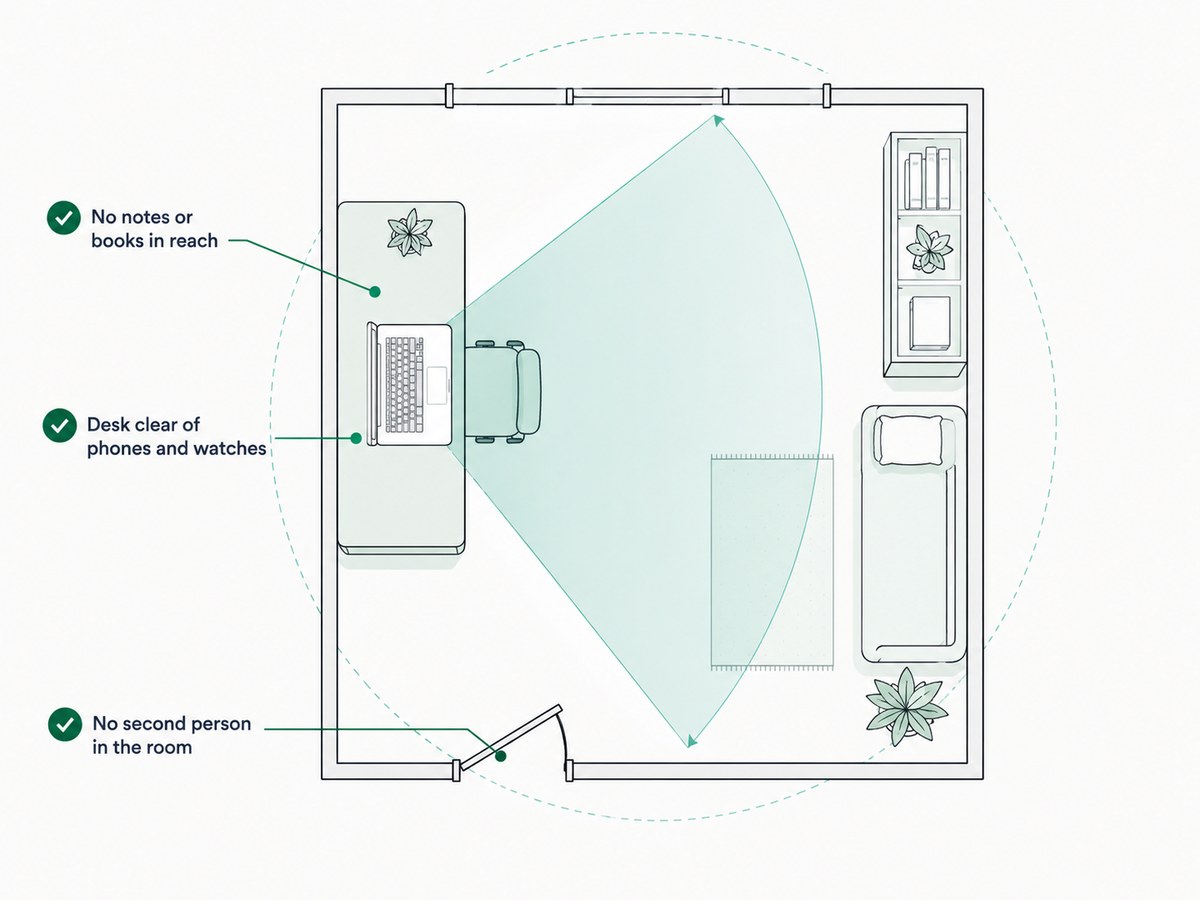
- Confirms no notes, books, or unauthorized materials are within reach
- Checks that no second person is visible or present in the room
- Verifies your desk is otherwise clear of prohibited items like phones or smartwatches
Some institutions have scaled this back or removed it entirely due to privacy concerns, it's worth checking your specific institution's policy, since this is one of the more contested pieces of the process.
Stage 4: Live Monitoring During the Exam
This is the part most people picture when they think of proctoring, but what's actually happening depends on which type of proctoring your exam uses.
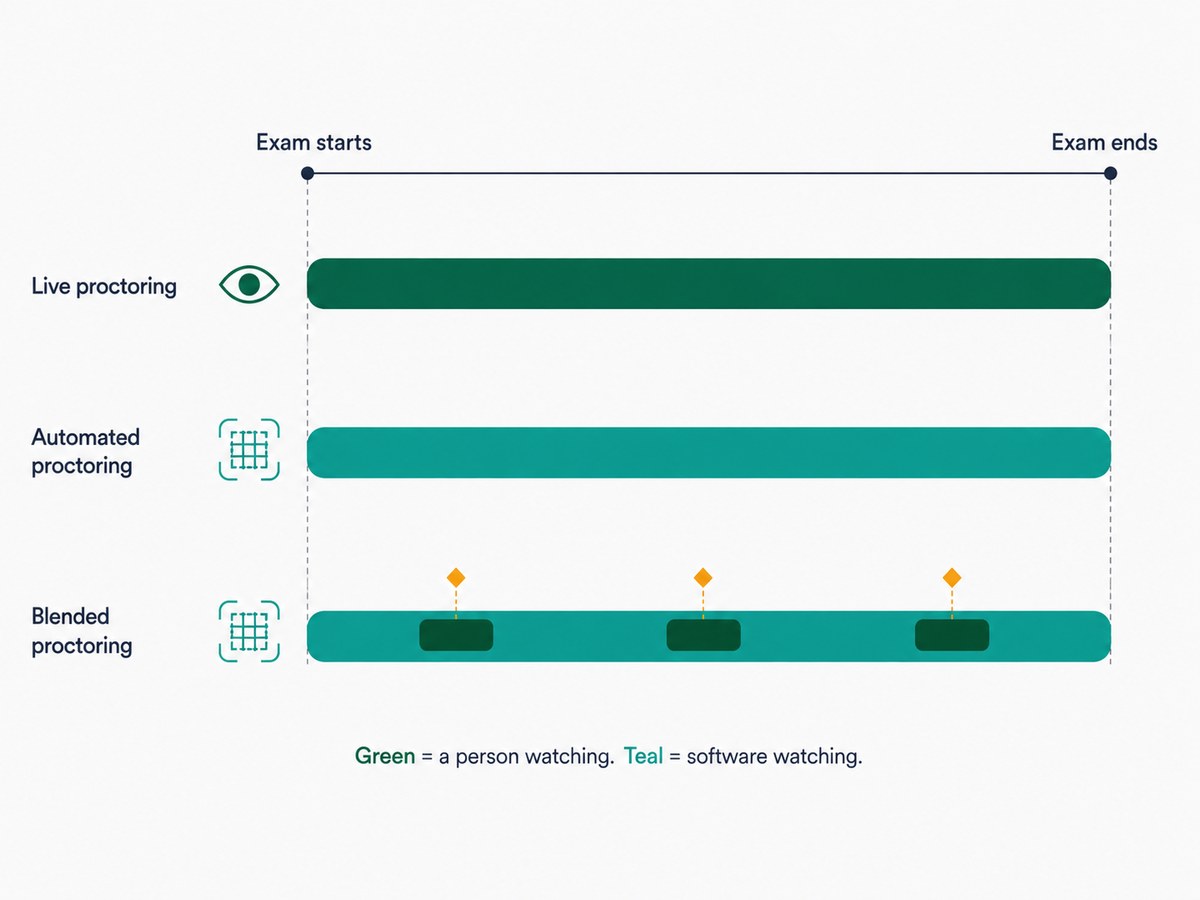
- Live proctoring - a human watches your session in real time via webcam and screen share, and can intervene immediately if something looks wrong
- Automated proctoring - software analyzes your webcam feed, screen activity, and audio continuously, comparing it against expected patterns
- Blended proctoring - AI monitors the session and automatically alerts a live proctor to join if it detects a potential issue, combining the scale of automation with the judgment of a human
During this stage, the system is pulling from multiple data streams at once, webcam video, screen capture, and audio, and combining them into a single record rather than treating each as a separate check. If your exam uses a browser lockdown, you also won't be able to open new tabs, switch applications, or access outside resources without it triggering an alert.
For the deeper technical breakdown of exactly what the AI is looking for during this stage, read How Does AI Proctoring Detect Cheating? For how tab-switching specifically gets recorded, see How Does Tab Switching Detection Work?
Stage 5: Post-Exam Review and Reporting
Once you submit your exam, the system doesn't just close the window, it compiles everything collected during the session into a report.
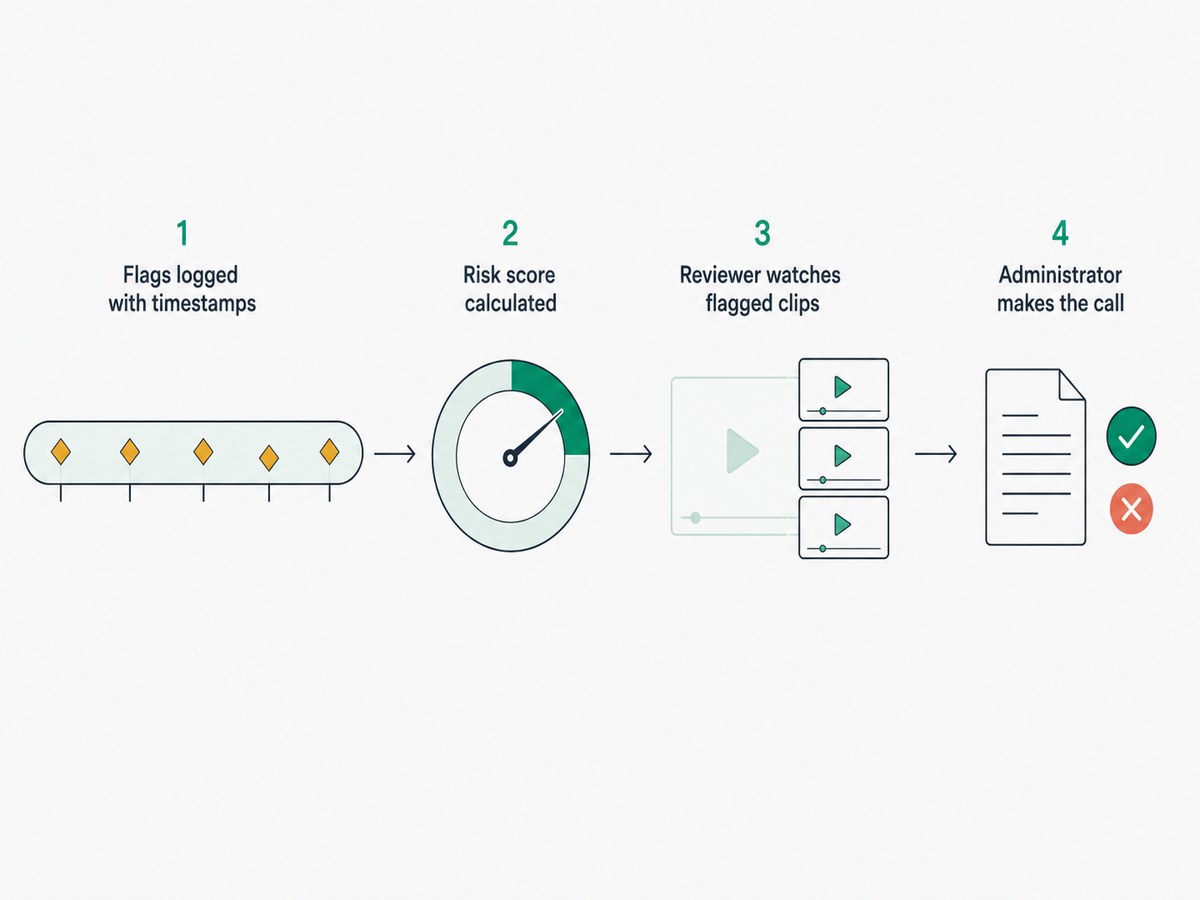
- Every flagged moment is logged with a timestamp and a description of what triggered it
- The system typically calculates an overall risk or violation likelihood, so reviewers know which sessions need the closest look first
- A reviewer can watch the specific flagged clips rather than the entire recording, which is what makes reviewing thousands of exams at scale actually feasible
- The instructor or administrator makes the final call on whether a flag was a genuine issue or a false alarm
This is the stage that separates a well-run proctoring program from a bad one. A flag with no human review behind it is just an accusation with no context, this is exactly why TunnelQuiz routes flags to human review by default, so a flagged moment is a starting point for a person to check, not an automatic penalty. Auto-terminate exists, from Essential, but only if you switch it on.
Why the Order of These Stages Matters
It's tempting to think of proctoring as one continuous "watching" process, but the sequence is deliberate. Identity verification has to happen before monitoring means anything, there's no point analyzing behavior if you're not even sure who's being monitored. The environment scan has to happen before the exam starts, because catching a note card on the desk mid-exam is far less useful than preventing it from being there in the first place.
TunnelQuiz follows most of this sequence: a system check, an email code (plus a check-in photo from Essential), monitoring and review. It does not scan the room or match faces to an ID, so if your exam needs those stages, plan for them separately.
Conclusion:
Online exam proctoring isn't one tool watching you, it's a five-stage pipeline: system check, identity verification, environment scan, live monitoring, and post-exam review. Each stage catches something the others can't, and the sequence exists for a reason. If you want to go deeper into any single stage, especially how AI detection actually works or how secure the whole process really.
Frequently asked questions
What software is used for online proctoring?
Online proctoring typically runs through dedicated proctoring software that integrates with a school's Learning Management System, such as Canvas or Blackboard, rather than a standalone app students have to access separately. Common examples include browser lockdown tools paired with AI monitoring or live human proctors.
Do I need special equipment for an online proctored exam?
You generally need a working webcam, a microphone, a stable internet connection, and a desktop or laptop, Chromebooks and tablets are often unsupported. Most platforms let you run a system compatibility check in advance so you're not troubleshooting hardware on exam day.
How long does the identity verification step take?
Identity verification usually takes only a few minutes, involving a photo ID scan and a live selfie match before the exam begins. Live-proctored exams may take slightly longer if a human proctor asks follow-up verification questions.
Does online proctoring work if my internet connection is unstable?
Most platforms will flag a weak or unstable connection during the pre-exam system check, and some will not let you proceed until it's resolved. If your connection drops mid-exam, policies vary by institution, some allow a grace period or re-entry, so it's worth confirming this before exam day rather than during it.
What happens after the exam if something gets flagged?
Flagged moments are logged with a timestamp and reviewed by a human, typically the instructor or a review team, rather than triggering an automatic penalty. The reviewer decides whether the flagged behavior was actually a violation or a false alarm based on the specific clip, not just the flag itself.