What is online exam proctoring?
An online proctored exam is a test taken outside a classroom where identity, environment and behaviour are monitored remotely. Here is what that means in practice.
In short
What the term actually covers, the three things every proctored exam verifies, and how the meaning has shifted as AI entered the picture.
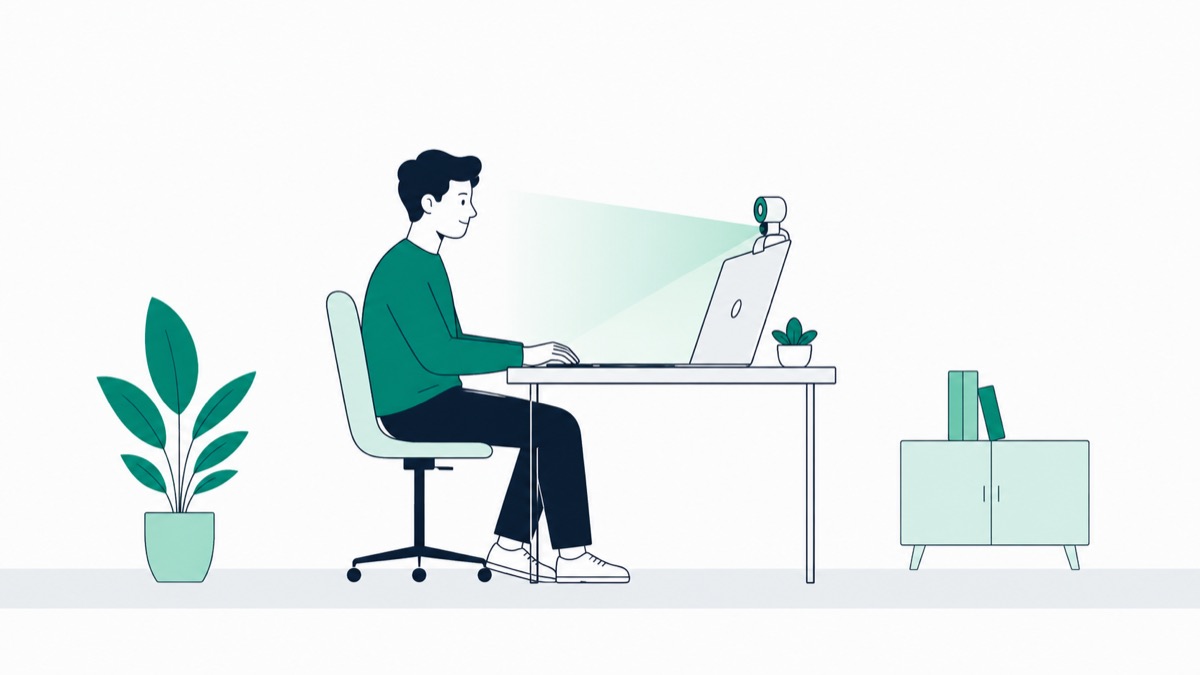
Online exam proctoring is the process of remotely monitoring a test-taker through webcam, microphone, and screen activity to verify their identity and confirm they aren't using unauthorized help during an exam. It's the digital equivalent of a person walking the aisles of a physical exam hall, except the "aisle" is your webcam feed and the "hall" is wherever you happen to be sitting.
If you've been assigned a proctored final or you're an administrator trying to understand what you're actually rolling out, this article breaks down the core concept in plain terms, what gets monitored, the different types of proctoring, and why the practice exists at all. For a deeper walkthrough of every piece of this cluster, from AI detection to security, see our complete guide to online exam proctoring.
Online Exam Proctoring, Defined
At its simplest, online proctoring exists to answer three questions during a remote exam:
- Is this the right person? - identity verification, usually via ID scan and a live selfie match
- Is the environment clean? - no notes, no second device, no unauthorized person in the room
- Is the behavior consistent with honest test-taking? - no unusual eye movement, no second voice, no leaving the exam window
None of this is new in concept. Physical exam halls have always had someone checking student IDs at the door and walking the room during the test. Online proctoring just moves that same verification into a remote setting, using cameras and software instead of a person physically present in the room.
The term is sometimes used interchangeably with exam invigilation - invigilation is the more common word in UK and Commonwealth English, while "proctoring" is the standard U.S. term. They describe the same function.
The Three Types of Online Proctoring
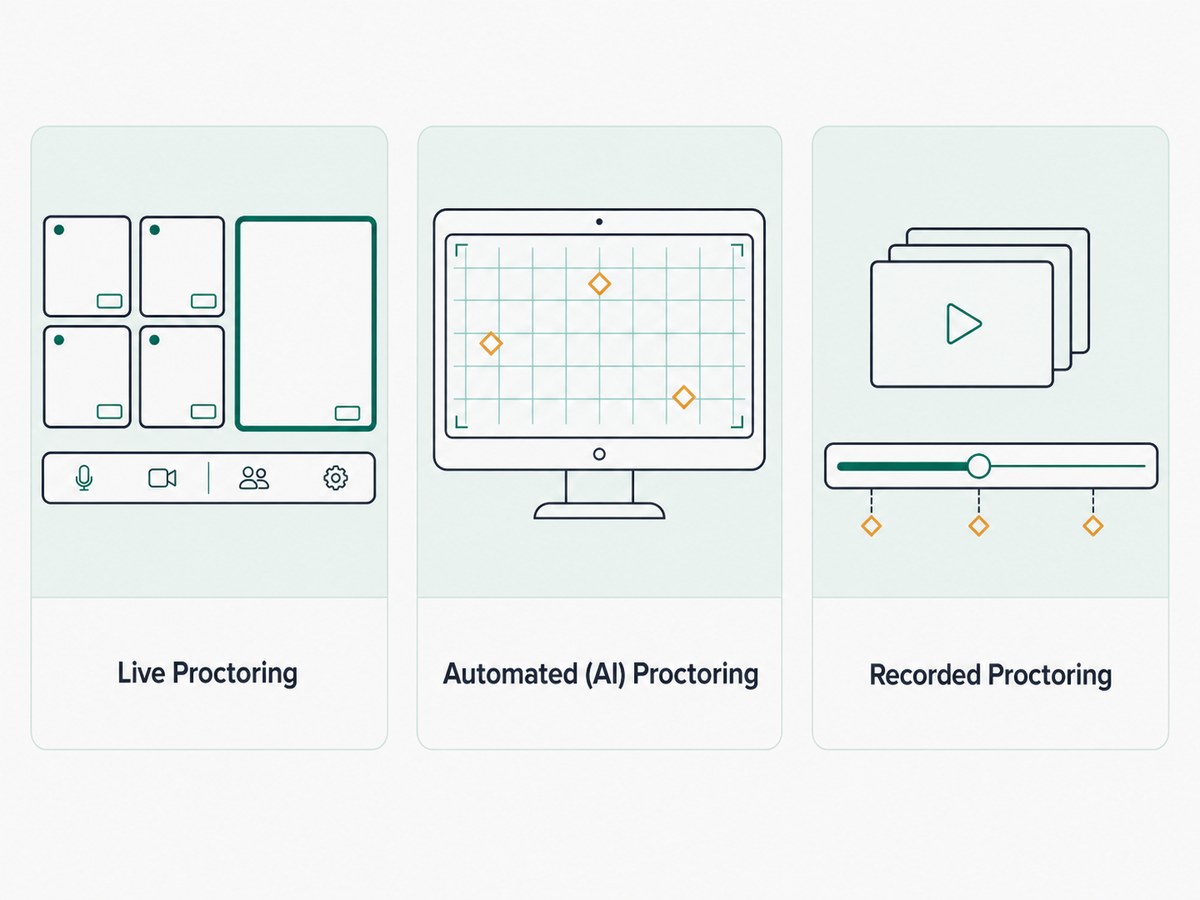
Not all proctoring works the same way. Depending on the exam's stakes and the institution's budget, one of three approaches (or a mix of them) is typically used.
Live Proctoring
A real person watches the exam session as it happens, either one-on-one or across several video feeds at once.
- A human proctor verifies identity before the exam starts
- The proctor observes in real time and can intervene immediately if something looks wrong
- Best suited to high-stakes exams where an instant human judgment call matters
This approach trades scale for immediacy - see our full breakdown in Online Proctoring vs Live Proctoring if you're deciding between this and an AI-driven approach.
Automated (AI) Proctoring
Software monitors the session and flags behavior that deviates from expected patterns, glancing away from the screen repeatedly, a second face entering the frame, or unusual audio.
- No human watches live; flags are reviewed after the fact, or in some setups, in real time by a smaller review team
- Scales to thousands of simultaneous test-takers at a fraction of the cost of live proctoring
- Prone to false positives, which is why flags should always route to a human reviewer rather than triggering an automatic penalty - this is the approach TunnelQuiz builds around: flags go to a person for review by default, and auto-terminate is an optional setting (from Essential) that stays off unless you turn it on
Recorded Proctoring
The session, webcam, screen, and sometimes audio are recorded in full and made available for an instructor or reviewer to check later, either for every student or only when something is flagged.
- No real-time monitoring at all during the exam itself
- Often used alongside AI flagging, where the recording is the evidence a human checks when a flag comes up
- Lower cost than live proctoring but slower to catch problems, since nothing is reviewed until after the exam ends
Most modern platforms don't pick just one of these - they layer automated detection with recorded sessions and reserve live proctors for the highest-stakes exams.
What Online Proctoring Actually Monitors
People often assume proctoring software is watching everything, all the time, with no limits. In practice, most platforms monitor a defined set of signals:
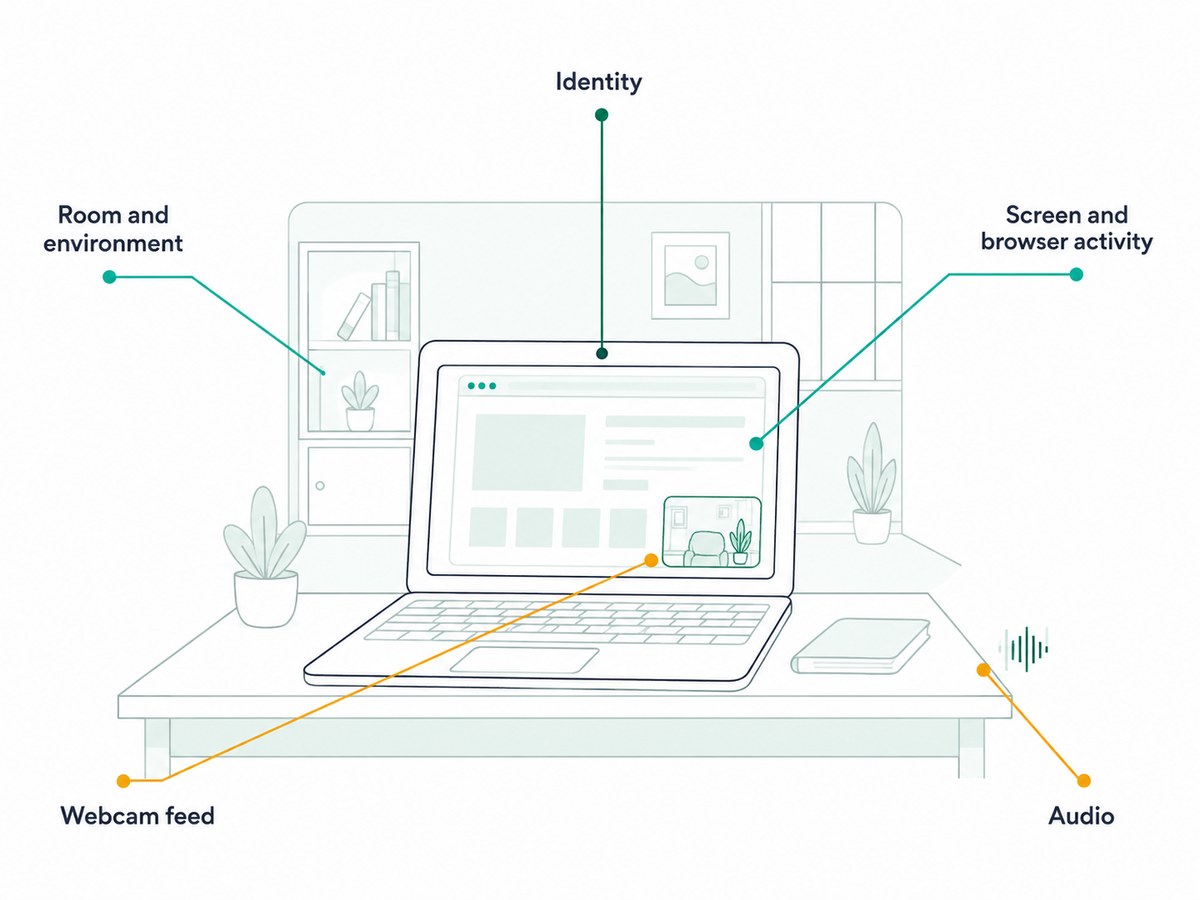
- Identity - government ID or student ID scan matched against a live photo
- Room and environment - a camera pan or photo capture of the testing space before the exam starts
- Screen and browser activity - whether the student leaves the exam tab, opens another application, or connects a second monitor
- Webcam feed - face presence, eye movement patterns, and whether a second person enters frame
- Audio - background noise, a second voice, or other indications someone else is present
What's monitored, and for how long that data is retained, varies significantly by vendor and by institution policy. It's worth actually reading your institution's or vendor's specific policy rather than assuming every proctoring tool works identically.
Why Institutions Use Online Proctoring
The honest answer is scale. When a handful of students take a make-up exam remotely, an instructor can often just watch the video call themselves. That doesn't hold up when a university runs finals week across tens of thousands of students, many of whom are enrolled entirely online and will never set foot on campus.
Accreditation and compliance play a role too. Institutions offering online degrees are often required to demonstrate that the person completing coursework and exams is actually the enrolled student - this ties into federal and accreditation requirements around identity verification in distance education, not just an institution's internal preference.
There's also a simpler, less dramatic reason: fairness. Students who study honestly tend to want some assurance that the exam is being taken under the same conditions for everyone else in the class, not just for them.
Common Concerns With Online Proctoring
It's worth being upfront about this rather than glossing over it: a lot of students genuinely dislike being watched while they test, and that reaction is reasonable, not paranoid.
- Privacy - being recorded in your own bedroom or kitchen feels different from sitting in a classroom, and concerns about where that footage goes and how long it's kept are legitimate
- False positives - AI flags can trigger on completely innocent behavior, like glancing at a wall clock or a pet walking through the frame, and being flagged can feel accusatory even when nothing happens as a result
- Accessibility - students with disabilities, tics, or conditions that involve unusual movement can be disproportionately flagged by systems trained on "typical" behavior patterns
- Anxiety - for some students, the awareness of being watched measurably adds stress on top of the exam itself, which is its own fairness problem
None of this means proctoring shouldn't exist - it means the concerns are worth taking seriously rather than dismissing. It's part of why TunnelQuiz treats a flag as a starting point for human review by default, not an automatic verdict; ending an attempt automatically is an optional setting you have to turn on. For a full look at how secure these systems actually are and what protections exist, read Are Online Proctored Exams Secure?.
Online Proctoring vs Traditional In-Person Exams
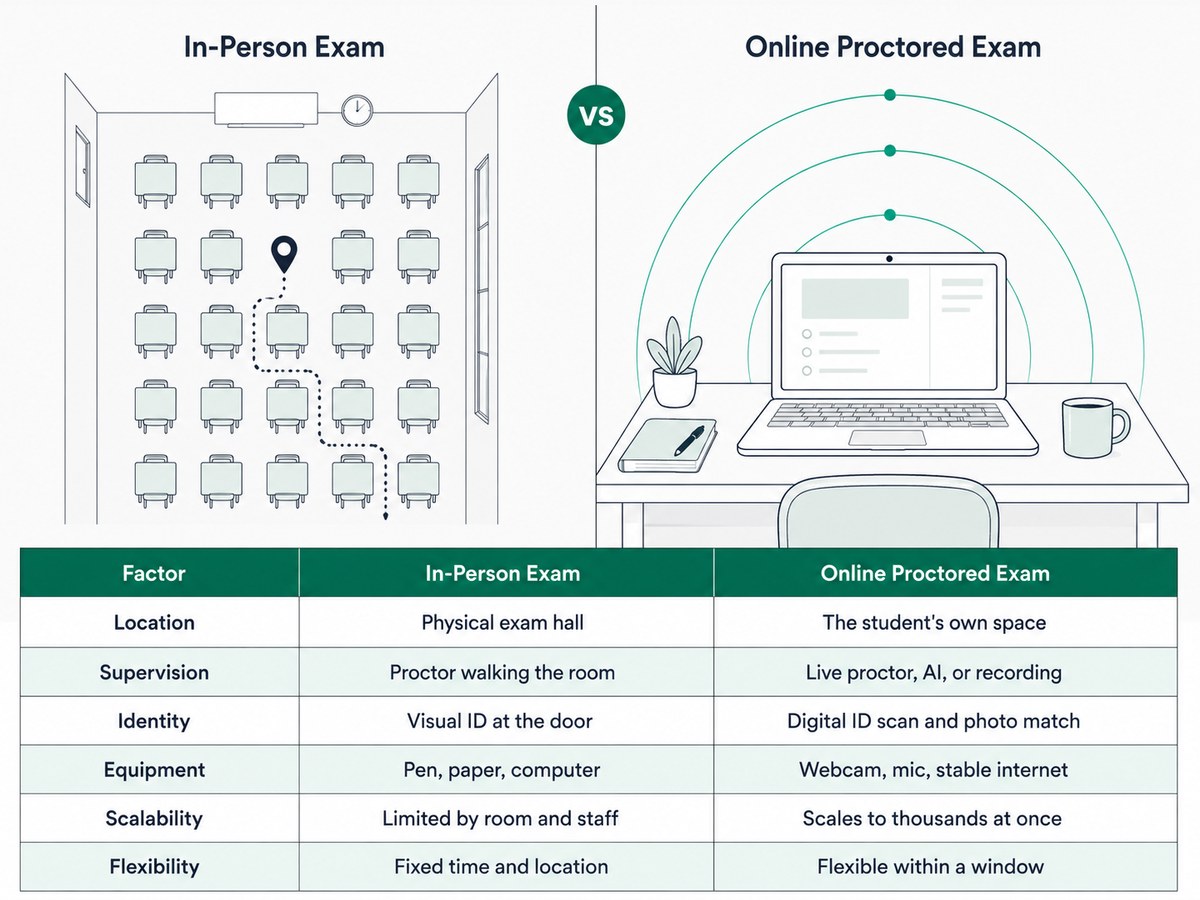
| Factor | Traditional In-Person Exam | Online Proctored Exam |
|---|---|---|
| Location | Physical exam hall or classroom | Student's own space (home, library, etc.) |
| Supervision | Human proctor walking the room | Live proctor, AI, recording, or a mix |
| Identity check | Visual ID check at the door | Digital ID scan + photo match |
| Equipment needed | None beyond pen/paper or a school computer | Webcam, microphone, stable internet, sometimes a lockdown browser |
| Scalability | Limited by room size and staff | Scales to thousands simultaneously |
| Flexibility | Fixed time and location | Often flexible within a window, from any location |
The Short Version
Online exam proctoring is remote exam monitoring, built around verifying identity, checking the environment, and watching behavior, using some combination of a live human, AI detection, and session recording. It exists mainly to let institutions run exams at scale without losing the integrity checks a physical exam hall provides, though it comes with real privacy and fairness trade-offs worth taking seriously. If you want the full picture, how the technology works mechanically, how AI detection actually functions, and how to evaluate whether a system is secure, our complete guide to online exam proctoring covers the entire cluster in depth.
Frequently asked questions
Is online proctoring only used in universities?
No, while higher education is the largest user, online proctoring is also used for K-12 assessments, professional certification and licensing exams, and corporate hiring or promotion tests. The monitoring intensity usually scales with how high-stakes the exam is.
Does online proctoring record you the whole time?
It depends on the type of proctoring in use - recorded and automated proctoring typically capture the full session, while live proctoring may or may not include a saved recording depending on the platform and institution policy. You should be told in advance exactly what's being recorded and for how long it's retained.
Can online proctoring see everything on my computer?
Not everything by default - most systems monitor the exam browser window, active applications, and connected displays, rather than your entire device. Lockdown browsers restrict what can be accessed during the exam itself, which is a different mechanism from full device surveillance.
Is online proctoring legal?
Yes, in the sense that institutions have the right to set exam conditions, but specific practices (like mandatory room scans) are subject to student privacy expectations and, in some regions, legal challenges. Some universities have restricted or banned certain practices, such as room scans, in response to these concerns.
What happens if I get flagged during a proctored exam?
A flag triggers a human review of that moment in your session - it is not, on its own, a finding of cheating. Well-run proctoring programs treat every flag as something a person checks before any consequence is applied, not as an automatic penalty.