How to assess candidates remotely
Remote assessment removes geography as a constraint but introduces its own problems: verifying who is testing, keeping the experience smooth, and comparing results at scale.
In short
Mostly a logistics problem wearing a technology costume. Identity, flexibility, a frictionless experience and one central pipeline.
Assessing candidates remotely means verifying who you're actually evaluating, choosing assessment methods that work without a shared physical room, and accounting for the specific skills, like self-directed communication and comfort with asynchronous work, that remote roles demand but in-person hiring often overlooks. Remote assessment isn't just an in-person process moved online; it introduces its own logistics and its own evaluation criteria.
This guide covers both sides: the practical mechanics of running assessments at a distance, and what to actually evaluate differently when a role is remote. For the broader process of building the assessment itself, see our complete guide to online assessment for recruitment.
Identity and Trust Come First
Before you can trust any result from a remote assessment, you need reasonable confidence that the person taking it is the person who applied.
- Verify identity at the point of testing, not just at the offer stage - an email OTP or similar check ties a specific score to a specific, confirmed person
- Watch for signs of outside help during the assessment itself - repeated tab switching, a second screen, or answers with reasoning that doesn't match the rest of the submission
- Decide how much verification a role actually needs - a senior technical hire with system access warrants more scrutiny than a high-volume entry-level screen
This becomes more important, not less, the more remote the entire hiring process is. If the assessment, the interview, and even onboarding all happen without ever meeting the person in a room, the assessment stage is often the first real checkpoint for confirming who you're actually evaluating.
Design for the Technology Candidates Actually Have
Remote candidates test from wildly different setups - a work laptop, an older home computer, a shared family device, sometimes a phone. Designing around your own ideal setup instead of theirs is a common and avoidable mistake.
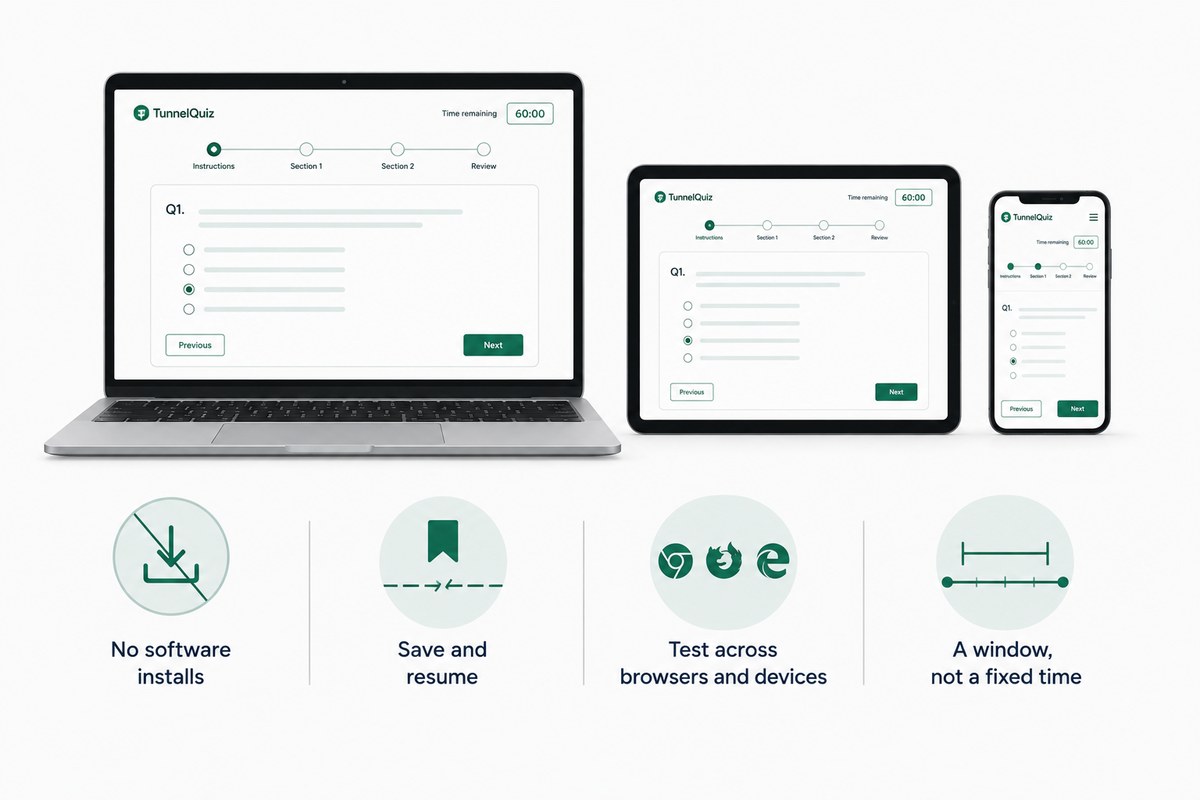
- Avoid requiring software installation - a lockdown browser download or extension adds friction that disproportionately affects candidates on locked-down work devices or older hardware
- Build in save-and-resume so a dropped connection doesn't cost someone their progress or unfairly count against them
- Test across common browsers and devices before launching, not after the first complaint comes in
- Give a testing window, not a single fixed time, especially for roles hiring across multiple time zones
A no-install, browser-based experience isn't just a convenience feature - it's what keeps the assessment measuring skill instead of accidentally measuring who happens to have the newest laptop.
Evaluate What Remote Work Actually Requires
This is the part general hiring advice tends to skip: a remote role genuinely calls for a slightly different skill profile than the same job performed in an office, and it's worth assessing for directly.
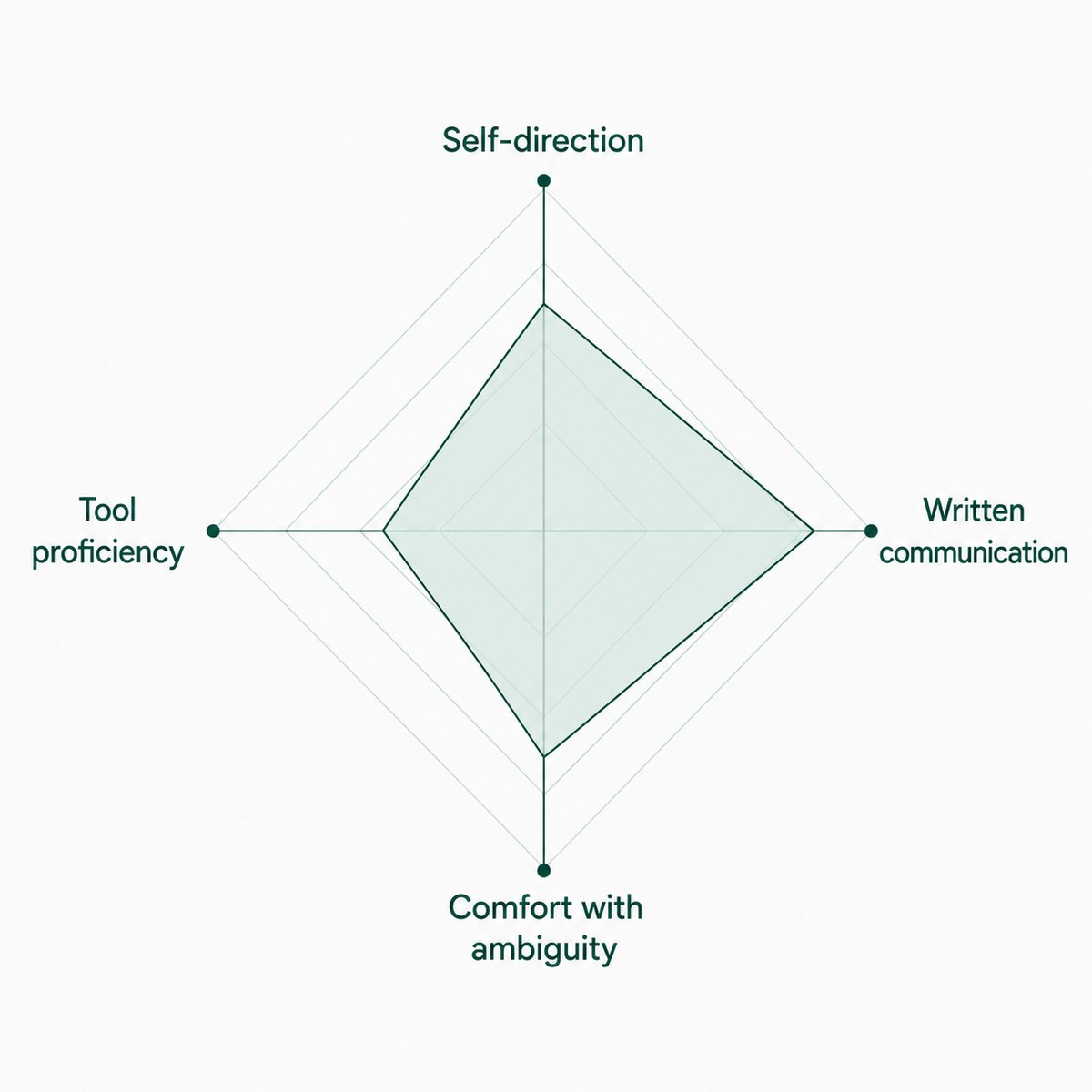
- Self-direction and time management - without a manager walking by, remote roles depend more on someone managing their own priorities
- Written and asynchronous communication - a huge share of remote collaboration happens in writing, not meetings, so clarity in written responses is a genuinely predictive signal
- Comfort with ambiguity - remote employees troubleshoot more independently before looping in someone else, simply because the "quick question over the desk" option doesn't exist
- Basic tool proficiency - familiarity with common remote collaboration and project tools is often worth a light check, especially for roles where onboarding time matters
A written-response question describing a real ambiguous scenario ("a client emails asking for X, but you're not sure if that's in scope, how do you handle it?") tends to surface these traits better than a generic personality questionnaire, since it's asking someone to actually demonstrate the behavior rather than self-report it.
Structure the Assessment Stage in the Funnel
Where a remote assessment sits in your process affects both its usefulness and the candidate experience.
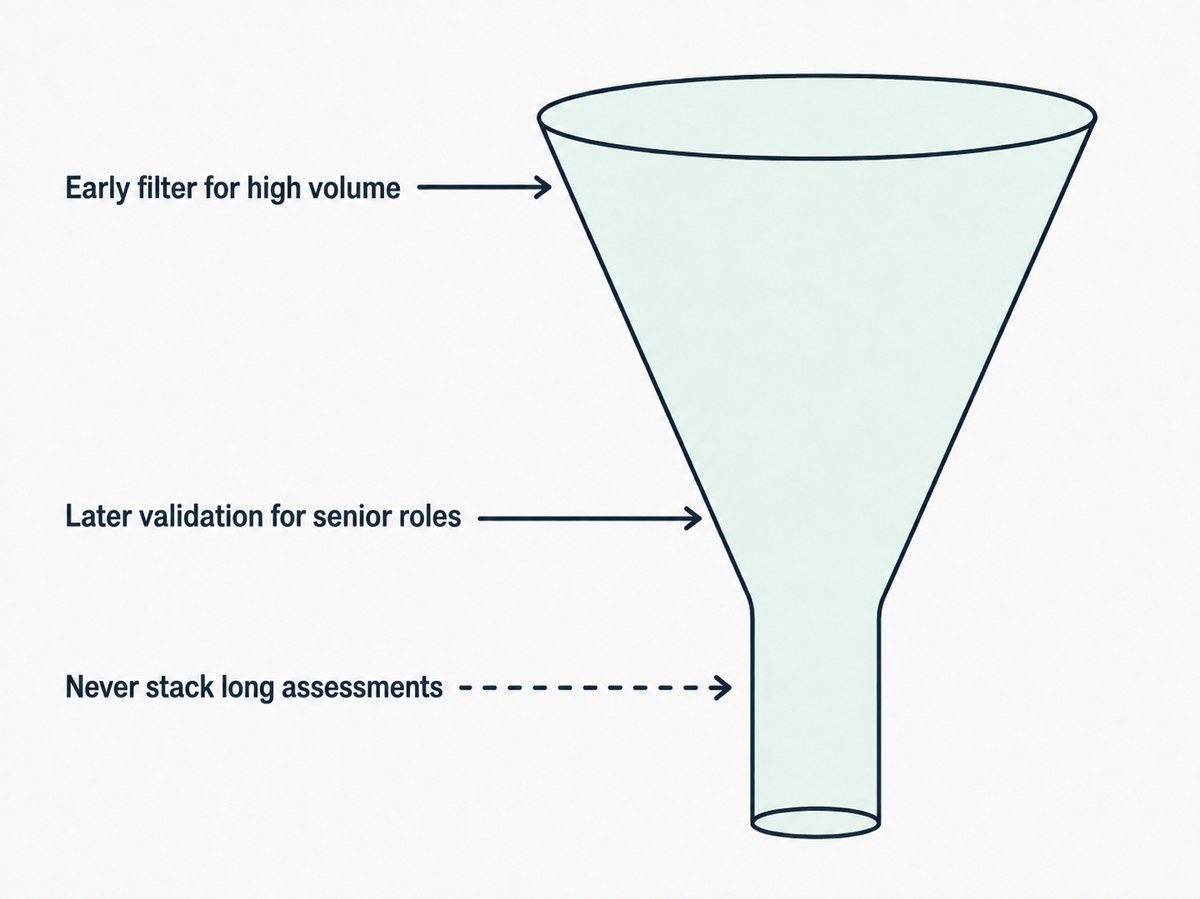
- Use it as an early filter for high-volume roles - a fast, scored assessment narrows a large pool before anyone's time is spent on interviews
- Use it as a later-stage validation for senior or specialized roles, where the applicant pool is smaller and a more involved task or work sample is more practical
- Don't stack multiple lengthy assessments back to back - sequencing a short skills test now and a deeper task later respects candidate time better than front-loading everything
Getting this sequencing wrong is one of the more common reasons strong candidates disengage from a remote hiring process before it's even reached an interview.
Communicate Clearly Since There's No Room to Read the Vibe
In an in-person process, a lot of candidate reassurance happens informally - a receptionist's tone, body language in a waiting room. None of that exists remotely, so it has to be replaced with explicit communication.
- Explain what the assessment covers and roughly how long it takes before the candidate starts
- Confirm receipt and next steps promptly - remote candidates have less implicit signal that their application is being taken seriously, so explicit follow-up matters more
- Give feedback or at least a clear timeline, even to candidates who don't move forward - this protects your employer reputation more than it costs you time
TunnelQuiz's candidate pipeline board (from Essential) helps here on the operational side - tracking every candidate from started to reviewed to shortlisted in one place makes it much easier to actually follow through on timely communication instead of losing track of where someone is in the pipeline.
Protecting Results at a Distance
Remote assessment removes the built-in oversight of someone physically watching, which means the platform and process need to compensate deliberately rather than assume good faith alone will hold up at scale.
- Randomize question and option order so results aren't easily shared between candidates testing at different times
- Set reasonable time limits that discourage looking up every answer without being so tight they penalize careful readers
- Layer in detection for the most common shortcuts - tab switching, a second device, or copy-paste behavior
This deserves a full treatment of its own rather than a few bullet points - for the complete approach to catching and handling this fairly, read How to Reduce Cheating in Remote Hiring Tests
Frequently Asked Questions
Q. How do you verify a candidate's identity in a remote assessment?
Ans. The most common method is email OTP verification, sometimes paired with a face photo check, which ties a specific test result to a specific, confirmed person. This matters most for higher-stakes roles where a mismatched identity would have real consequences.
Q. What's different about assessing candidates for remote roles specifically?
Ans. Beyond the general skills the job requires, remote roles benefit from directly assessing self-direction, written communication, and comfort working through ambiguity without immediate in-person support. These traits are harder to observe in a standard interview and often show up more clearly in a written-response scenario question.
Q. Do remote assessments need to be shorter than in-person ones?
Ans. Not necessarily shorter by rule, but length should account for the fact that remote candidates have less implicit context about the process and may be testing on inconsistent internet or hardware. A reasonable time window and a save-and-resume function matter more for remote assessments than for in-person ones.
Q. How do you keep a remote assessment process fair across time zones?
Ans. Offering a testing window rather than a single fixed appointment time is the most common solution, giving candidates flexibility to complete the assessment within a reasonable period regardless of location. This avoids inadvertently disadvantaging candidates in time zones far from where the hiring team is based.
Q. Can remote assessments replace video interviews entirely?
Ans. No, assessments are strong for measuring skill and knowledge objectively, but video interviews still capture communication style, real-time thinking, and rapport that a written or multiple-choice format can't fully replicate. Most effective remote hiring processes use both, typically an assessment first to narrow the pool, then interviews for the finalists.
The Short Version
Assessing candidates remotely means solving two problems at once: the logistics of running a fair process without a shared room, and evaluating for the specific skills remote roles actually demand, like self-direction and written communication. Identity verification, a friction-free testing experience, and clear communication throughout are what separate a remote assessment process candidates trust from one that quietly loses good people along the way.