How to create online assessments for students
Building a good online exam takes more than converting a paper test into a digital form. Five things that change once the test moves to a screen.
In short
Design for the screen rather than the page, mix question types deliberately, and pilot the format before anything is on the line.
Creating an online assessment for students starts with aligning the assessment to specific learning objectives, choosing question types and formats that actually measure those objectives, and testing the assessment before it reaches real students, not converting a paper exam into a digital form and calling it done. The format change matters more than instructors moving online for the first time often expect: what works well on paper doesn't always translate cleanly to a screen.
This guide walks through building an online assessment step by step, from objectives through to piloting and feedback. For the broader picture of running online exams well, see our complete guide to online exams.
Start From Learning Objectives, Not the Exam Format
The most common mistake in converting or building an online assessment is starting with the format ("I'll do 30 multiple-choice questions") instead of starting with what the assessment needs to measure.
- Write down the specific learning objectives the assessment covers before choosing question types: what should a student who's mastered this material actually be able to do?
- Decide whether this is formative or summative - a formative check (used during learning, to catch gaps early) calls for a very different format than a summative final (used to certify mastery at the end)
- Match assessment weight to the objective's importance - not every learning objective needs equal representation in the final grade
- Resist the urge to test everything at once - a focused assessment aligned to a few clear objectives measures more accurately than a sprawling one trying to cover an entire term
Assessments built this way are also easier to defend and explain to students, since every question traces back to something the course explicitly aimed to teach.
Choose Question Types That Match What You're Measuring
Different question formats are suited to different kinds of learning, and mixing them deliberately produces a more accurate picture than relying on one type alone.
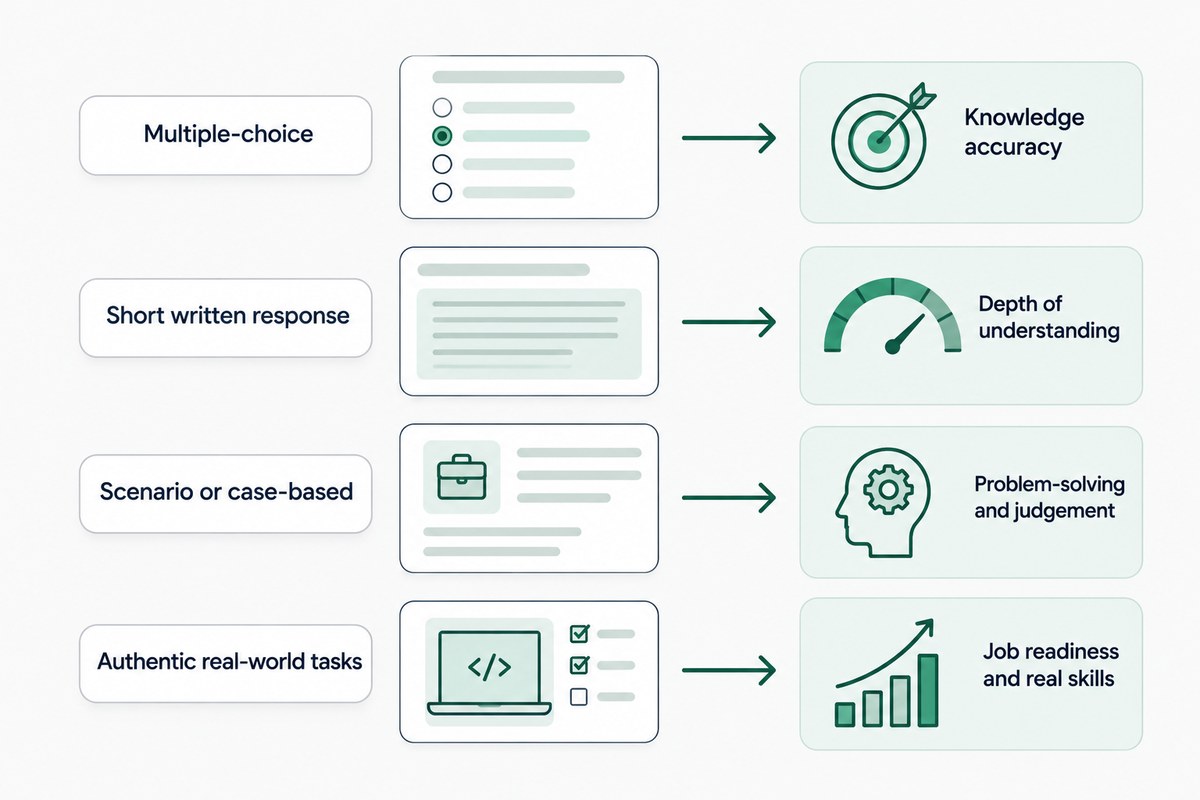
- Multiple-choice - fast to grade, works well for factual recall and concept checks, but weaker at measuring deeper reasoning on its own
- Short written response - captures explanation and reasoning an MCQ can't, at the cost of needing manual or AI-assisted review
- Scenario or case-based questions - presenting a realistic situation and asking students to apply knowledge tends to measure understanding more accurately than an abstract question
- Authentic, real-world-style tasks - assignments that mirror an actual task in the field (analyzing a case, solving a practical problem) are often the strongest measure of genuine mastery, though they take more time to build and to grade
For most course-level assessments, a mix works better than any single format: quick multiple-choice questions to check breadth of knowledge, paired with one or two short-response questions that check depth.
Design for the Screen, Not a Digitized Page
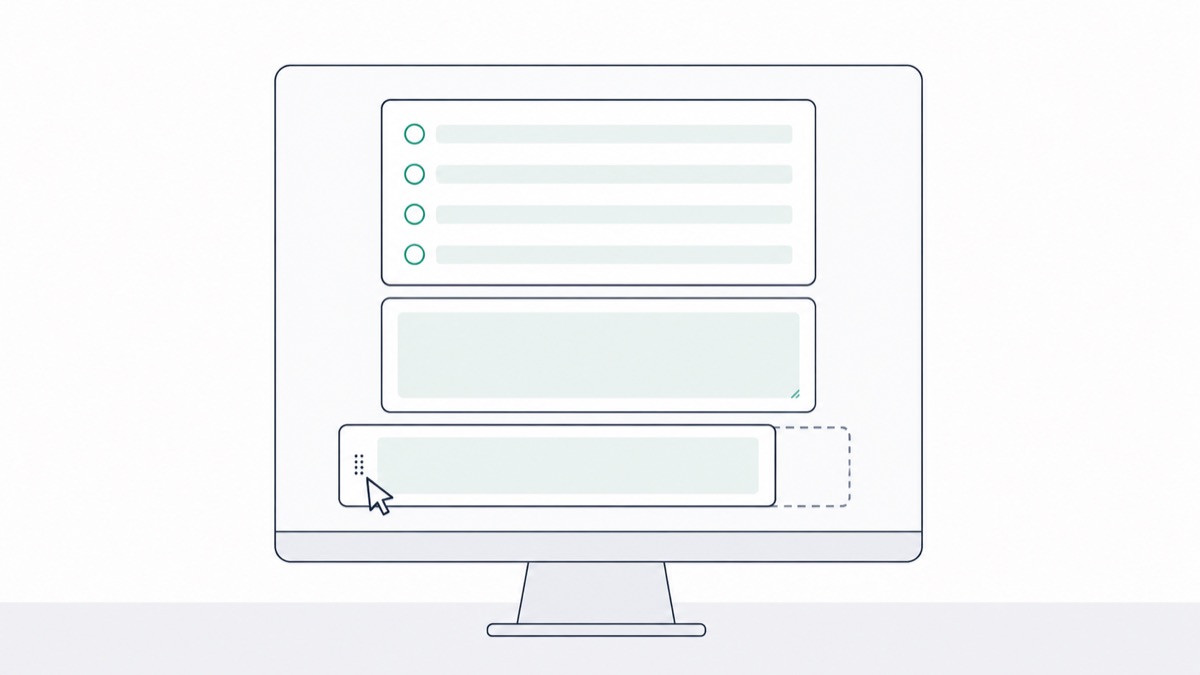
An exam that was designed for paper often needs real restructuring, not just a straight upload, to work well on screen.
- Break up long reading passages - dense blocks of text are harder to track on screen than on paper; shorter, clearly formatted passages read better
- Keep questions self-contained where possible, so students aren't scrolling back and forth to reference earlier material
- Use clear, unambiguous instructions for every question type - there's no proctor in the room to answer a quick clarifying question mid-exam
- Adjust timing for the format, since reading and navigating on screen typically takes somewhat longer than the equivalent task on paper
Skipping this step is a common reason a well-designed paper exam performs worse once digitized - the content is the same, but the format friction adds difficulty that has nothing to do with the material.
Build in Accessibility From the Start
Retrofitting accessibility after an assessment is built is far more work than designing it in from the beginning, and it produces a worse result for the students who need it most.
- Support adjustable text size and screen-reader compatibility as a default, not a special accommodation request
- Offer extended time as a built-in option where appropriate, rather than a separate manual process for every request
- Avoid relying on color alone to convey meaning in questions or instructions, since this excludes students with color vision differences
- Test the assessment with assistive technology before launch, not after a student reports a problem
Designing for accessibility from the outset tends to improve the assessment's clarity for every student, not just the ones who specifically need the accommodation.
Randomize and Protect the Assessment
Even a well-designed assessment loses value if it's easy to share or reuse identically across every student and every term.
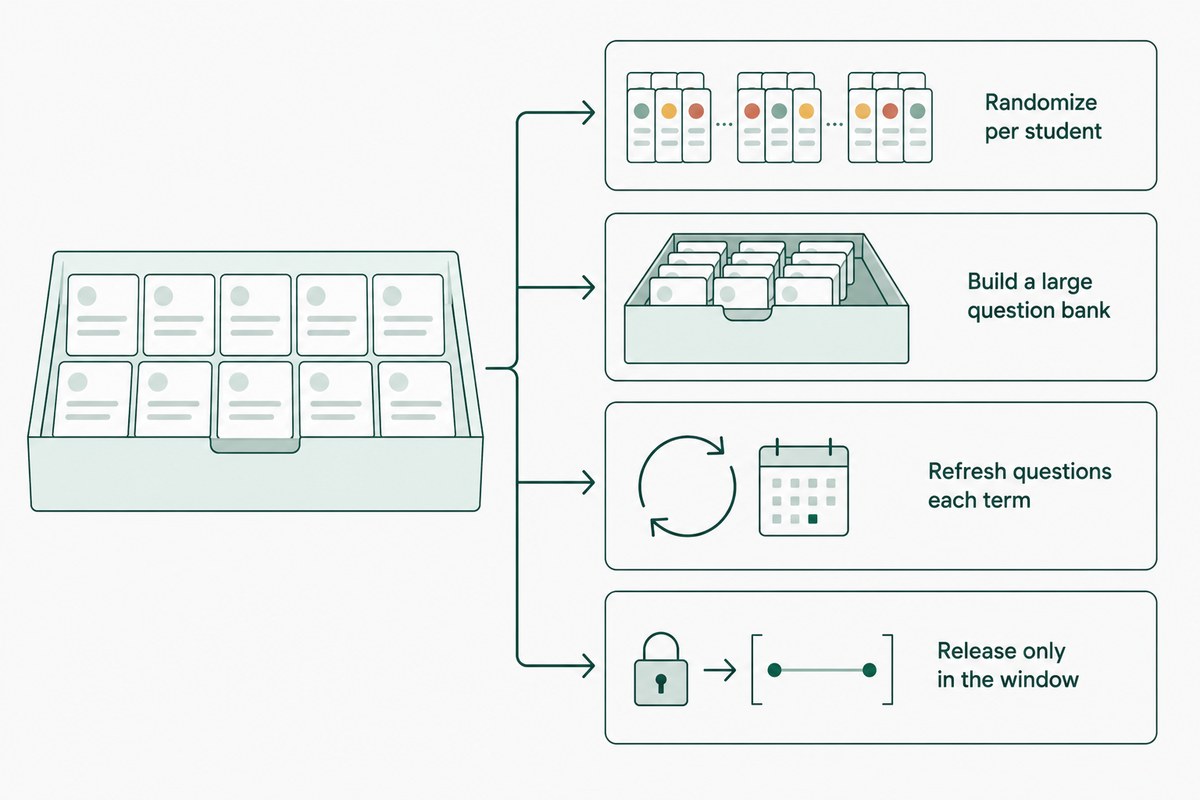
- Randomize question order and answer choices per student, reducing the value of shared answers by position
- Build a large enough question bank that no two students reliably see an identical version
- Refresh questions periodically, especially for any assessment reused across multiple terms, since older questions circulate more the longer they're in use
- Release content only within the assessment window, avoiding early access that could let content spread before everyone has taken it
TunnelQuiz's randomization handles this automatically, shuffling questions and answer order per student, and you can duplicate a well-built assessment for future terms rather than rebuilding it each time.
Pilot Before It Reaches Real Students
Testing an assessment on a small group before it goes live catches problems that are much harder to fix after students have already taken it.
- Have a colleague or teaching assistant take the assessment under realistic conditions, timing it honestly rather than rushing through
- Look specifically for ambiguous wording - a question that seems clear when you wrote it can read very differently to someone encountering it fresh
- Confirm the actual time required matches what you've allotted, rather than assuming your own familiarity with the material translates to student pacing
- Check the technical experience end to end - submission, autosave, and confirmation should all work exactly as expected before real stakes are involved
This step gets skipped most often under time pressure, and it's the step most likely to catch a problem before it affects a real grade.
Grade Consistently and Close the Feedback Loop
The assessment isn't finished producing value once it's graded - what happens afterward determines whether it improves over time.
- Use a rubric for anything beyond straightforward multiple-choice, so written or scenario-based responses are scored consistently across all students
- Give specific, constructive feedback, not just a score - feedback that explains what was missing helps students actually learn from the assessment, not just receive a grade
- Review item-level performance after each administration - a question nearly everyone misses, including strong students, is usually a flawed question, not evidence of a widespread gap
- Revise based on what the data and student feedback actually show, rather than leaving a working assessment untouched indefinitely once it's built
Assessments that get this kind of periodic review tend to stay accurate and fair far longer than ones built once and never revisited.
The Short Version
Creating an online assessment for students works best as a sequence: start from clear learning objectives, choose question types that actually match what you're measuring, design deliberately for the screen rather than a digitized page, build in accessibility from the beginning, protect the assessment through randomization, pilot it before real students see it, and close the loop with consistent grading and feedback. Each step catches a different kind of problem the others can't.
Frequently asked questions
What's the difference between formative and summative online assessments?
Formative assessments happen during the learning process to check understanding and catch gaps early, often lower-stakes and more frequent, while summative assessments happen at the end to evaluate overall mastery, typically higher-stakes. Both should use different question design and grading weight appropriate to their purpose.
How long should an online assessment take students to complete?
Length should be driven by how much content the assessment needs to cover to measure its learning objectives accurately, not by a fixed target, but piloting with a real test-taker is the most reliable way to confirm actual timing. Reading and navigating on screen typically takes somewhat longer than the equivalent task on paper, which is worth building into your estimate.
What question types work best for online assessments?
A mix generally works better than relying on one type, multiple-choice for efficient breadth coverage, paired with short written or scenario-based questions for depth and reasoning. The right balance depends on what specific learning objectives the assessment needs to measure.
How do you make an online assessment accessible?
Building in adjustable text size, screen-reader compatibility, and extended time as default options, rather than only available through a special request, is the most effective approach. Designing for accessibility from the start also tends to make the assessment clearer for every student, not only the ones who need the accommodation.
Should online assessments be open-book?
It depends on what's being measured - open-book formats work well when paired with application-based questions that can't simply be looked up, since they shift the test toward reasoning rather than recall. A closed-book format focused on memorized facts is often easier to design but doesn't always reflect how students will actually use the knowledge afterward.